my_data <- dummy_data(100000)

# Create format containers
age. <- discrete_format(
    "Total"          = 0:100,
    "under 18"       = 0:17,
    "18 to under 25" = 18:24,
    "25 to under 55" = 25:54,
    "55 to under 65" = 55:64,
    "65 and older"   = 65:100)

sex. <- discrete_format(
    "Total"  = 1:2,
    "Male"   = 1,
    "Female" = 2)

education. <- discrete_format(
    "Total"            = c("low", "middle", "high"),
    "low education"    = "low",
    "middle education" = "middle",
"high education" = "high")The new update offers some new ways of computing different percentages. The full release notes can be seen here.
First of all lets look at an example of how tabulation looks like. First we generate a dummy data frame an prepare our formats, which basically translate single expressions into resulting categories, which later appear in the final table.
And after that we just tabulate our data without any other step in between:
# Define style
set_style_options(column_widths = c(2, 15, 15, 15, 9))

# Define titles and footnotes. If you want to add hyperlinks you can do so by
# adding "link:" followed by the hyperlink to the main text.
set_titles("This is title number 1 link: https://cran.r-project.org/",
           "This is title number 2",
           "This is title number 3")

set_footnotes("This is footnote number 1",
              "This is footnote number 2",
              "This is footnote number 3 link: https://cran.r-project.org/")

# Output complex tables with different percentages
my_data |> any_table(rows       = c("sex + age", "sex", "age"),
                     columns    = c("year", "education + year"),
                     values     = weight,
                     statistics = c("sum", "pct_group"),
                     pct_group  = c("sex", "age"),
                     formats    = list(sex = sex., age = age.,
                                       education = education.),
                     na.rm      = TRUE)

reset_style_options()
reset_qol_options()
The update now introduces two new keywords: row_pct and col_pct. Using these in the pct_group parameter enables us to compute row and column percentages regardless of which and how many variables are used.
my_data |> any_table(rows       = c("sex", "age", "sex + age", "education"),
                     columns    = "year",
                     values     = weight,
                     by         = state,
                     statistics = c("pct_group", "sum", "freq"),
                     pct_group  = c("row_pct", "col_pct"),
                     formats    = list(sex = sex., age = age., state = state.,
                                       education = education.),
                     na.rm      = TRUE)
Also new is that you can compute percentages based on an expression of a result category. For this you can use the pct_value parameter put in the variable and desired expression which is your 100% and you are good to go:
my_data |> any_table(rows        = c("age", "education"),
                     columns     = "year + sex",
                     values      = weight,
                     pct_value   = list(sex = "Total"),
                     formats     = list(sex = sex., age = age.,
                                        education = education.),
                     var_labels  = list(sex = "", age = "", education = "",
                                        year = "", weight = ""),
                     stat_labels = list(pct = "%", sum = "1000",
                                        freq = "Count"),
                     box         = "Attribute",
                     na.rm       = TRUE)
Here is an impression of what the results look like:
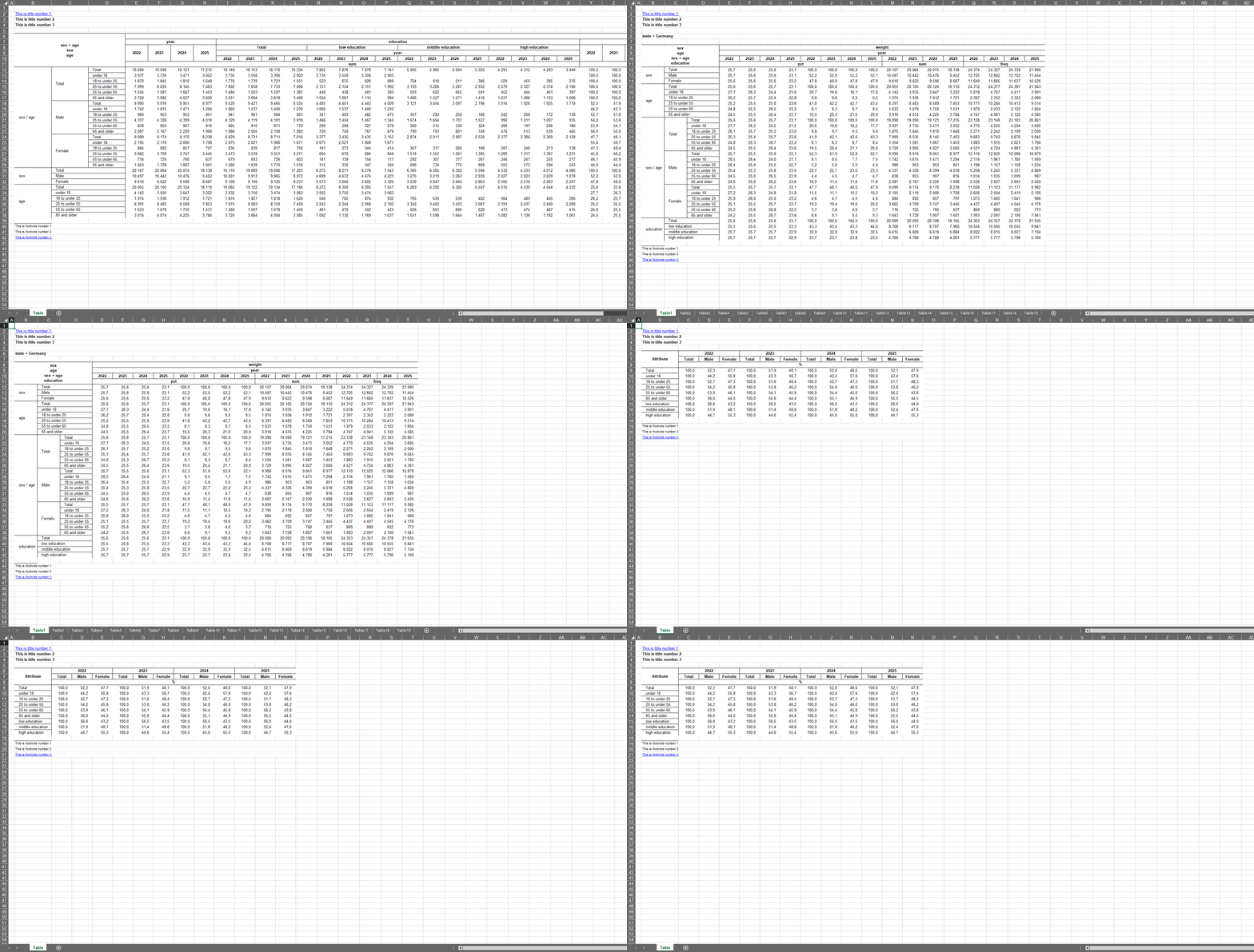
You probably noticed that there are some other options which let you design your tables in a flexible way. To get a better and more in depths overview of what else this package has to offer you can have a look here: https://s3rdia.github.io/qol/